Getting Started
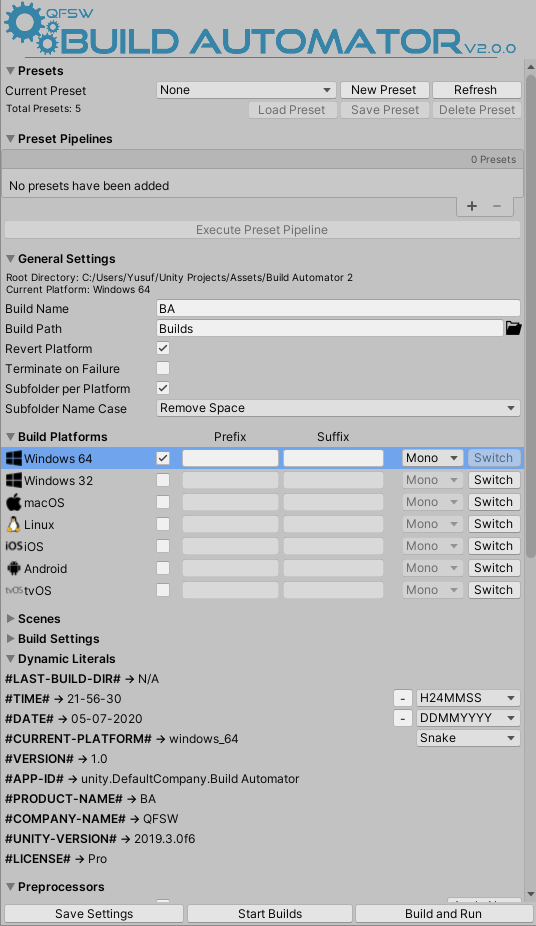
To get started with Build Automator, navigate to Window > Build Automator or press CTRL + ALT + B; this will open the Build Automator window, where you will be able to configure your settings and run the automation process.
Build Automator adopts a highly modular design, and as such all of the settings and capabilities are encapsulated within their own modules; please see their respective documentation pages for more.
At the bottom of the Build Automator window, outside of any modules, are the following buttons
| Button | Meaning |
|---|---|
| Save Settings | Saves all Build Automator settings and preferences |
| Start Builds | Starts the build process for the selected platforms |
| Build and Run | Starts the build process for the selected platforms and runs each build after it is complete when possible |
Tip
All save data, presets and preferences are stored under Plugins/QFSW/Build Automator/Data Store